Works where you write
Fixes typos as you type in email, chat, documents and your browser, on Windows and Mac. It stays out of password fields, terminals and code editors.
A quiet companion that fixes common spelling mistakes while you type. English and Swedish included, with optional language packs. Your writing stays yours: see the Typo privacy notice. 500 fixes a month are free for 3 months, then invite friends for extra fixes.
Type a mistake. Typo fixes it automatically and privately.
Simple protection from everyday typos, designed to stay out of your way.
Fixes typos as you type in email, chat, documents and your browser, on Windows and Mac. It stays out of password fields, terminals and code editors.
Spelling correction happens on your device. Text is not sent to our licensing server.
English and Swedish are included. Optional experimental starter packs can be downloaded for 19 more languages.
Save your vocabulary and teach the app to leave certain words alone.
A lightweight companion for Windows and Mac that runs quietly in the tray or menu bar. See your monthly allowance, manage personal words, and pause instantly whenever you like.

Corrections active
English and Swedish are built in, and 19 more languages are ready as optional starter packs. Plus one special language: Token language, which shortens what you write to AI tools. Download Typo once: during setup you pick your languages and how much Typo should fix, and you can change both any time.



















Input methods (IME) for Chinese, Japanese and Indic scripts are not supported yet. Optional packs are small starter lists that will grow over time.
Free for 3 months with 500 fixes a month, then 200 free fixes per friend you invite. Works in email, chat, documents and your browser.
Windows 10 and 11, 64-bit.
Download for Windows
macOS 12 Monterey or later.
Typo picks the right version for your Mac. Not your Mac? Download for Intel
By installing Typo you agree to the Terms and the Privacy notice. The app asks you to accept them before it starts fixing.
The Mac button picks Apple silicon or Intel for you, and Typo moves itself to the right version on its next update if needed. The SHA-256 checksum under each button lets you verify your download.
Try Typo, then upgrade when you want more. Billing and account management use a secure payment service.
Get a feel for everyday correction.
For people who write all day.
A useful, thoughtful little gift.
Prices include VAT where applicable. Cancel any time from your account. 14-day money-back guarantee on your first payment.
Send Typo to a friend, family member, or colleague.
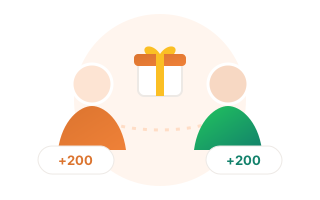
Send your personal link from the Typo window, by WhatsApp, email or anywhere. When your friend installs Typo and starts using it, you both get 200 free fixes. Invite as many friends as you like: there is no limit.
No. Correction uses local data on your computer. Payment, license checks, account emails and learning mode do contact our service, but never include what you type: learning mode only shares the fixes Typo made (like teh to the) so the rules improve for everyone.
It works in most apps where you type: email, chat, Word, Pages and web browsers. To keep you safe it never acts in password fields, password managers, terminals or code editors, and it only fixes words it is confident about.
For your first 3 months you get 500 free fixes every month. After that, and whenever you run out, invite friends: you and each friend get 200 free fixes as soon as they start using Typo, with no limit on friends. Or upgrade for unlimited fixes. Typo never blocks ordinary typing.
Yes. Press Backspace right after a correction and Typo puts back exactly what you typed, and remembers the word for next time. You can also pause Typo from the tray or menu bar.
Yes. Sign in to your account with your email and open the billing portal to cancel. Unlimited stays active until the end of the period you paid for.
Yes. Choose 1, 3 or 12 months. The recipient gets a single-use code by email and redeems it in Typo on Windows or Mac. Nothing renews automatically.
Typo is new, and its installers are not yet signed with a paid publisher certificate. Windows may show "Windows protected your PC": choose More info, then Run anyway. On a Mac, open System Settings, Privacy & Security, and click Open Anyway. Every download lists its SHA-256 checksum so you can verify it came from us.
Typo knows more than 4,000 common misspellings and checks every finished word against an 80,000-word dictionary. It only changes a word when one fix is clearly right: about 98% of its automatic fixes are correct in our tests, and anything else is left as you typed it.
Green means Typo fixed a word and read the text back to confirm the fix really landed (or its self test passed). Amber means it is listening but has no proof yet. Red means it is paused or cannot reach the app you are typing in, and the Typo window says why.
Yes. Open the Typo window, choose My words, then Import from other apps. Typo finds the word lists you already built in Microsoft Word, the Windows spell checker, Chrome, Edge, LibreOffice and macOS, and imports them in one click. Any .dic or .txt file works too.
Download Typo free, share it with someone, or get product news by email.
Choose how many months to gift. Your recipient receives a single use code after successful payment.